
Upload your room photo
Start with one clear room photo. Better lighting and wider framing help create smoother and more realistic motion results.
Funcionalidad
Convierte una foto de una habitación en videos cortos de rediseño con Room AI Studio. Muestra cambios de estilo con movimiento, compara alternativas rápidamente y comunica ideas con más claridad.
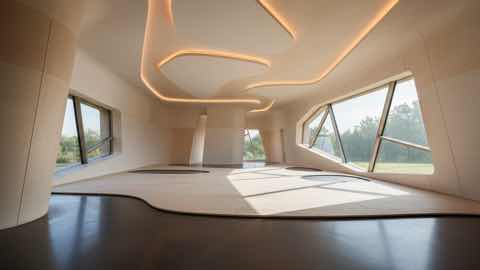
Capa de movimiento
Historias visuales cortas con contexto de producto más limpio.
Start with one clear room photo. Better lighting and wider framing help create smoother and more realistic motion results.
Pick style direction, mood, and pacing. Generate a few variants to compare different redesign stories before deciding.
Use short redesign clips to explain ideas faster, share options with clients, and align everyone before implementation.
Qué obtienes
Mejores prácticas de entrada
Use a well-lit photo where the room is fully visible and objects are not heavily obstructed. Simple, clear inputs usually produce cleaner transitions.
If the motion feels off, generate additional variations with small prompt changes. Iterating on input details often improves video quality significantly.
Para quién es mejor esto
El Rediseño de video funciona mejor cuando una imagen estática no es suficiente y la idea de la habitación necesita una presentación o flujo de revisión más persuasivo.
Preguntas frecuentes
Estas respuestas aclaran cuándo el Rediseño de video es la mejor opción en lugar de una imagen fija.
Use Video Redesign when motion helps explain the idea better. It is useful for presentations, higher-ticket purchases, and moments when a still image feels too limited.
Short comparison clips work best. They help viewers understand room mood, product fit, and story flow without requiring a long presentation.
No, but a clear photo with steady framing and visible room details usually leads to smoother motion and more convincing transitions.
Siguiente
Crea videos cortos de rediseño a partir de fotos de habitaciones y presenta ideas con mayor impacto en menos tiempo.