
Upload your room photo
Start with one clear room photo. Better lighting and wider framing help create smoother and more realistic motion results.
機能
Room AI Studioで、1枚の部屋の写真を短いリデザインビデオに変換します。動きのあるスタイルの変化を表示し、代替案を素早く比較し、より明確にアイデアを伝えます。
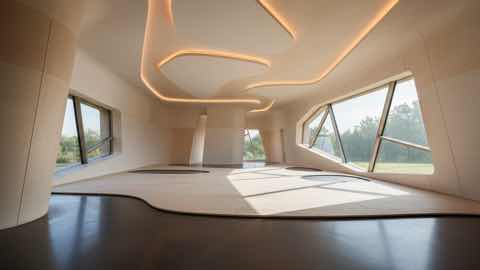
モーションレイヤー
よりクリーンなプロダクトコンテキストを持つ短いビジュアルストーリー。
Start with one clear room photo. Better lighting and wider framing help create smoother and more realistic motion results.
Pick style direction, mood, and pacing. Generate a few variants to compare different redesign stories before deciding.
Use short redesign clips to explain ideas faster, share options with clients, and align everyone before implementation.
得られるもの
入力のベストプラクティス
Use a well-lit photo where the room is fully visible and objects are not heavily obstructed. Simple, clear inputs usually produce cleaner transitions.
If the motion feels off, generate additional variations with small prompt changes. Iterating on input details often improves video quality significantly.
こんな方に最適
ビデオリデザインは、静止画像だけでは不十分で、部屋のアイデアにより説得力のあるプレゼンテーションやレビューフローが必要な場合に最適です。
よくある質問
これらの回答は、静止画像よりもビデオリデザインが適している状況を明確にします。
Use Video Redesign when motion helps explain the idea better. It is useful for presentations, higher-ticket purchases, and moments when a still image feels too limited.
Short comparison clips work best. They help viewers understand room mood, product fit, and story flow without requiring a long presentation.
No, but a clear photo with steady framing and visible room details usually leads to smoother motion and more convincing transitions.
次へ
部屋の写真から短いリデザインビデオを作成し、より短時間でインパクトのあるアイデアを提示します。