
Upload your room photo
Start with one clear room photo. Better lighting and wider framing help create smoother and more realistic motion results.
Funktion
Verwandeln Sie ein Raumfoto mit Room AI Studio in kurze Redesign-Videos. Zeigen Sie Stiländerungen mit Bewegung, vergleichen Sie Alternativen schnell und kommunizieren Sie Ideen klarer.
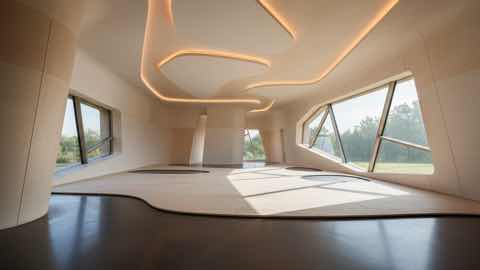
Bewegungsebene
Kurze visuelle Geschichten mit klarerem Produktkontext.
Start with one clear room photo. Better lighting and wider framing help create smoother and more realistic motion results.
Pick style direction, mood, and pacing. Generate a few variants to compare different redesign stories before deciding.
Use short redesign clips to explain ideas faster, share options with clients, and align everyone before implementation.
Was du bekommst
Beste Eingabepraktiken
Use a well-lit photo where the room is fully visible and objects are not heavily obstructed. Simple, clear inputs usually produce cleaner transitions.
If the motion feels off, generate additional variations with small prompt changes. Iterating on input details often improves video quality significantly.
Für wen dies am besten geeignet ist
Video-Redesign funktioniert am besten, wenn ein statisches Bild nicht ausreicht und die Raumidee eine überzeugendere Präsentation oder einen Review-Ablauf benötigt.
FAQ
Diese Antworten klären, wann Video-Redesign die bessere Wahl als ein Standbild ist.
Use Video Redesign when motion helps explain the idea better. It is useful for presentations, higher-ticket purchases, and moments when a still image feels too limited.
Short comparison clips work best. They help viewers understand room mood, product fit, and story flow without requiring a long presentation.
No, but a clear photo with steady framing and visible room details usually leads to smoother motion and more convincing transitions.
Weiter
Erstellen Sie kurze Redesign-Videos aus Raumfotos und präsentieren Sie Ideen in kürzerer Zeit mit größerer Wirkung.