
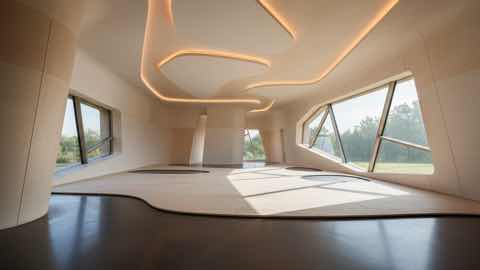
Upload your room photo
Start with one clear room photo. Better lighting and wider framing help create smoother and more realistic motion results.
Start with one clear room photo. Better lighting and wider framing help create smoother and more realistic motion results.
Pick style direction, mood, and pacing. Generate a few variants to compare different redesign stories before deciding.
Use short redesign clips to explain ideas faster, share options with clients, and align everyone before implementation.
제공 항목
최적의 입력 방법
Use a well-lit photo where the room is fully visible and objects are not heavily obstructed. Simple, clear inputs usually produce cleaner transitions.
If the motion feels off, generate additional variations with small prompt changes. Iterating on input details often improves video quality significantly.
이 기능이 가장 적합한 사용자
비디오 리디자인은 정적 이미지만으로는 부족하고 방 아이디어에 더 설득력 있는 프레젠테이션이나 검토 흐름이 필요할 때 가장 효과적입니다.
FAQ
이 답변은 비디오 리디자인이 정적 이미지보다 더 나은 선택인 경우를 명확히 설명합니다.
Use Video Redesign when motion helps explain the idea better. It is useful for presentations, higher-ticket purchases, and moments when a still image feels too limited.
Short comparison clips work best. They help viewers understand room mood, product fit, and story flow without requiring a long presentation.
No, but a clear photo with steady framing and visible room details usually leads to smoother motion and more convincing transitions.