
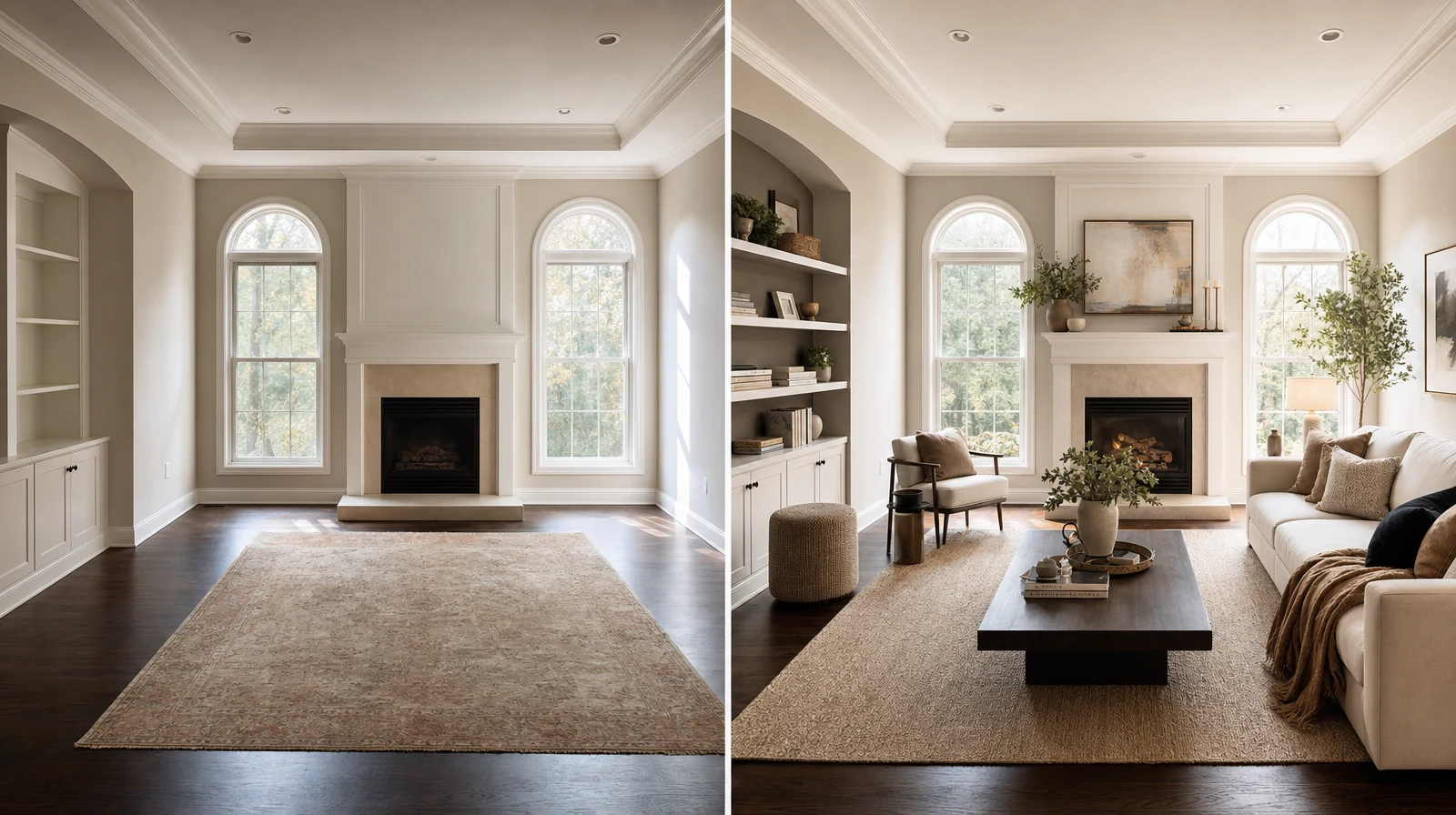
AI product photography gives furniture brands a faster way to create consistent catalog and lifestyle visuals. The point is not to fake the product. The point is to show the same product in clearer buying contexts, with less production friction.
For furniture teams, the hard part is volume. You need clean product shots, room scenes, finish variants, and campaign visuals across many channels. We use Room AI Studio to turn one strong product image into a practical visual set.
Table of Contents
- Where AI product photography helps
- What to keep consistent
- A furniture brand workflow
- Evidence and numbers
- Quality checks before publishing
- FAQ
Where AI product photography helps
Furniture photography gets expensive because every item needs scale, texture, and room context. A white-background image is useful, but it rarely tells the full story.
- Catalog images for clean comparison
- Lifestyle scenes for ads and landing pages
- Room-context images for product pages
- Finish and fabric variants for sales teams
- Bundle visuals for ecommerce merchandising
We still start with a real product reference. Better input creates better output. AI should support the product, not redesign it without permission.
What to keep consistent
The product must stay recognizable. Shape, proportions, seams, legs, material direction, and core color should remain stable across every scene.
A good AI workflow uses constraints. We tell the system what must not change before we ask for a nicer room.
A furniture brand workflow
- Choose one approved product image as the reference.
- Define the visual job: catalog, lifestyle, bundle, or ad.
- Generate a small batch with the same framing rules.
- Review product fidelity before reviewing mood.
- Save the best prompt and reuse it for the next SKU group.
This keeps output consistent across a growing catalog. We prefer repeatable systems over one-off images that look good once.
- Use the same crop ratio for each channel.
- Keep backgrounds aligned to brand positioning.
- Separate premium scenes from discount scenes.
- Store approved prompts with the product family.
Evidence and Numbers
- Baymard reports that 56% of users first explore product images on product detail pages: https://baymard.com/blog/ensure-sufficient-image-resolution-and-zoom. Your image system is often the first sales argument.
- Baymard also found that 25% of ecommerce sites still provide images that are not sufficient for visual evaluation: https://baymard.com/blog/ensure-sufficient-image-resolution-and-zoom. Better AI-assisted asset coverage can close that gap.
- Google Merchant Center tells merchants to use the highest quality product images for product data: https://support.google.com/merchants/answer/6324350. Feed and marketplace visuals still need clean source assets.
- Wyzowl reports that 83% of consumers want more videos from brands in 2025: https://wyzowl.com/video-marketing-statistics/. Furniture brands can turn AI scenes into short product stories when video makes sense.
Quality checks before publishing
- Compare the output against the source product before approving it.
- Check legs, seams, cushions, handles, fabric grain, and scale.
- Reject images that make the item look like a different SKU.
- Use human review for paid ads, marketplaces, and high-value pages.
AI product photography works best when your team has a simple approval bar. We do not publish the prettiest image. We publish the most accurate useful image.
For room-context product scenes, start with {swap}. For placement proof, use {layout}. Teams selling online should connect the {ecommerce}, the {sellers}, and the {app}.
Want cleaner furniture product visuals without rebuilding every shoot? Open Room AI Studio.