AI room designer guide

What Is an AI Room Designer? A Practical Guide

An AI room designer should do more than create a pretty makeover. It should help someone make the next room decision with more confidence: which layout works, which product fits, which finish direction deserves approval, and what visual is clear enough to share with a buyer or client. Room AI Studio is built around that practical standard. It turns real room photos into believable room visuals, layout proof, product-fit stories, and client-ready decisions for furniture sellers, staging teams, consultants, designers, and homeowners who need useful output rather than generic inspiration.

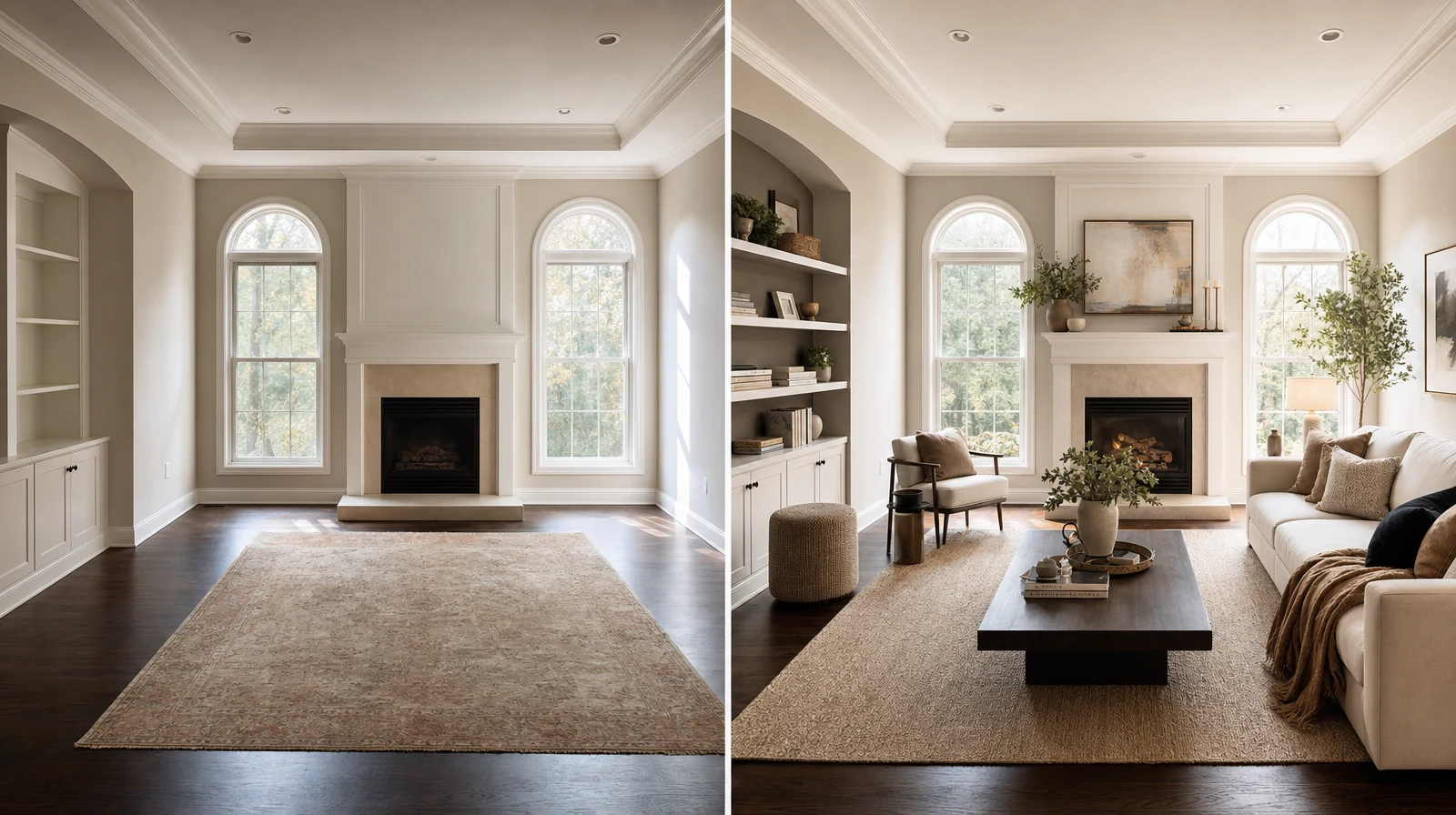
Before and after room redesign comparison created with Room AI Studio
Before After

Before and after

One room photo can become a clearer redesign direction without losing the original room context.

What it is

What is an AI room designer?

An AI room designer is software that uses a room photo to generate visual design directions for the same space. The useful version keeps the room context visible while helping people compare layout, furniture, style, and material choices.

That makes it different from a generic image generator. The goal is not endless novelty. The goal is a visual answer that helps a real person decide what to buy, approve, present, or refine next.

Why Room AI Studio

Built for decisions, not just inspiration

  • Believable room visuals that still feel connected to the original space.
  • Seller workflows that turn buyer room photos into clearer product recommendations.
  • Layout proof that explains spacing, circulation, and furniture placement before commitment.
  • Product-fit stories that show why a piece or bundle works inside the room.
  • Client-ready decisions that reduce vague feedback and make the next step easier.

Who it is for

Who gets the most value from an AI room designer?

Furniture sellers

Show fit, scale, and bundle logic in the buyer's own room before the next purchase decision.

Staging teams

Compare room direction before install day and align stakeholders with less last-minute guesswork.

Interior teams

Turn early room photos into focused concept options, layout proof, and clearer approvals.

Homeowners

Test room directions, furniture fit, and finish choices before spending money or moving pieces.

How it works

How Room AI Studio turns a room photo into a clearer decision

01

Start with the real room

Upload one clear room photo so light, scale, and existing constraints remain part of the visual answer.

02

Generate the proof you need

Compare redesigns, layout options, furniture swaps, or material directions depending on the decision in front of you.

03

Share the next best choice

Use the strongest visual to guide the buyer, client, or team toward a concrete next step instead of another vague loop.

FAQ

AI room designer questions

Concise answers for people deciding whether this workflow fits the room problem in front of them.

What can an AI room designer help me decide?

It can help compare room direction, layout, furniture fit, and finish choices when seeing the option in context is more useful than imagining it.

Is an AI room designer only for homeowners?

No. Homeowners use it, but sellers, staging teams, consultants, and designers often get even more value because they need to explain decisions to someone else.

How is Room AI Studio different from a generic image generator?

Room AI Studio is built around believable room visuals, seller workflows, layout proof, product-fit stories, and client-ready decisions rather than novelty alone.

What should I upload first?

Start with a clear, wide room photo that shows the area you need to decide on. Better room context usually leads to more useful output.

Which feature should I start with?

Start with AI Room Redesign for broad concept direction, AI Room Layout Planner for placement questions, AI Furniture Visualizer for product fit, and AI Material Visualizer for finish choices.

Can I use the visuals in a professional workflow?

Yes. They are especially useful when paired with concise notes that explain what changed, why it matters, and what decision should happen next.

Ready

Turn the room photo into a better next decision

Open Room AI Studio when you need believable visuals, clearer layout proof, and a room story someone can actually act on.

Open the Studio