
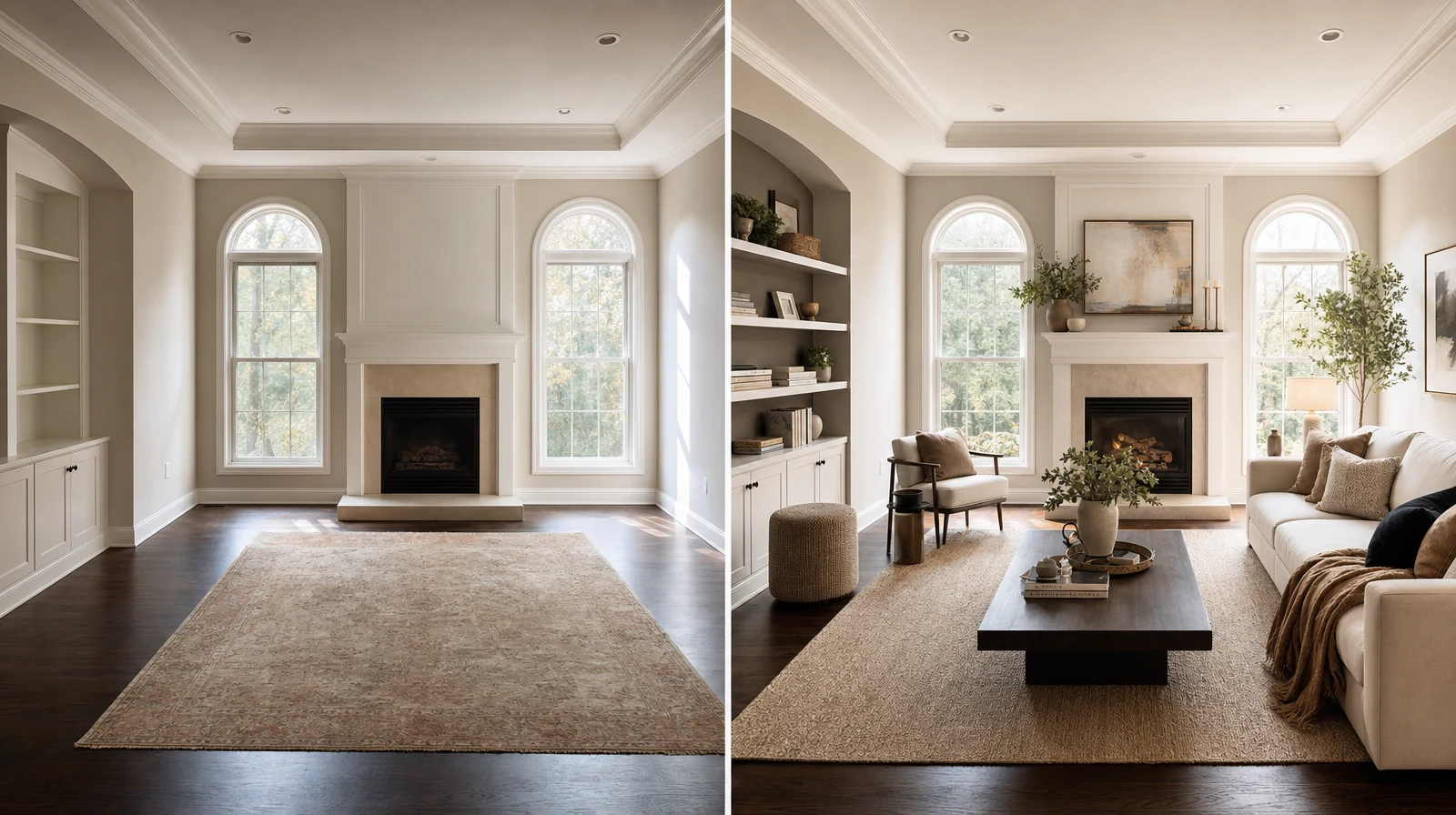
Virtual furniture staging helps ecommerce stores show products inside believable rooms before shoppers visit a showroom or request help. The best use is practical: show scale, style, and bundle logic so the buyer understands why the product fits.
We use Room AI Studio to turn empty, plain, or customer-submitted rooms into clearer buying scenes. That gives furniture teams more visual proof without waiting for a full shoot.
Table of Contents
- What virtual staging should do
- Where ecommerce stores use it
- A simple staging workflow
- Evidence and numbers
- How to avoid fake-looking scenes
- FAQ
What virtual staging should do
Virtual staging should reduce doubt. It should not create a fantasy room that makes the product impossible to judge.
- Show how a product fits a real room style
- Explain the value of a bundle
- Support large purchases with scale context
- Create faster campaign visuals for seasonal collections
A staged room works when the buyer can still understand the product. We keep the product visible, grounded, and easy to compare.
Where ecommerce stores use it
This approach helps stores reuse the same product truth in many formats. We can create room context without changing the SKU story.
A simple staging workflow
- Pick the product or bundle that needs more context.
- Choose the room type and buyer segment.
- Generate one clean staged scene and one alternative.
- Check scale, shadows, and product identity.
- Publish only the version that explains a buying decision.
The workflow is intentionally short. Ecommerce teams need speed, but they also need review control.
- Keep one visual standard per collection.
- Avoid overdecorating small rooms.
- Match the room style to the product price point.
- Use captions that explain the practical fit.
Evidence and Numbers
- Baymard found that 42% of test users tried to understand product size from product images: https://baymard.com/blog/in-scale-product-images. Staged room context helps answer that size question faster.
- Baymard reports that 25% of ecommerce sites still fail to provide sufficient image resolution or zoom: https://baymard.com/blog/ensure-sufficient-image-resolution-and-zoom. Better staged assets can strengthen the product gallery.
- NRF projected $890 billion in retail returns for 2024: https://nrf.com/media-center/press-releases/nrf-and-happy-returns-report-2024-retail-returns-total-890-billion. Clearer pre-purchase visuals can reduce preventable mismatch decisions.
- Wyzowl reports that 87% of people have been convinced to buy after watching a product or service video: https://wyzowl.com/video-marketing-statistics/. A staged room video can turn a static product into a clearer story.
How to avoid fake-looking scenes
- Do not let the room overpower the furniture.
- Keep lighting direction believable.
- Reject warped product shapes or strange shadows.
- Use fewer props when the buyer needs scale clarity.
- Keep the same product name, finish, and variant tied to the visual.
Virtual staging should feel like a sales assistant, not a magic trick. We want the image to answer a buying question in seconds.
Build the staging flow with {swap}, then validate placement with {layout}. Ecommerce teams can use the {ecommerce}, sellers can use the {sellers}, and the {app} is the fastest place to start.
Want to stage furniture scenes for your ecommerce store? Open Room AI Studio.