
Upload your room photo
Start with one clear room photo. Better lighting and wider framing help create smoother and more realistic motion results.
Feature
An AI room redesign video turns one room photo into a short visual story, making it easier to explain a change, compare directions, and present a room idea with more impact than a still image alone.
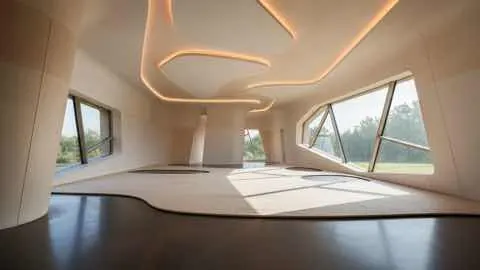
Motion layer
Short visual stories with cleaner product context.
AI Room Redesign Video
An AI room redesign video turns one room photo into a short visual story, making it easier to explain a change, compare directions, and present a room idea with more impact than a still image alone.
Video Redesign works best when a static image is not enough and the room idea needs a more persuasive presentation or review flow.
Start with one clear room photo. Better lighting and wider framing help create smoother and more realistic motion results.
Pick style direction, mood, and pacing. Generate a few variants to compare different redesign stories before deciding.
Use short redesign clips to explain ideas faster, share options with clients, and align everyone before implementation.
What you get
Best input practices
Use a well-lit photo where the room is fully visible and objects are not heavily obstructed. Simple, clear inputs usually produce cleaner transitions.
If the motion feels off, generate additional variations with small prompt changes. Iterating on input details often improves video quality significantly.
Who this works best for
Video Redesign works best when a static image is not enough and the room idea needs a more persuasive presentation or review flow.
FAQ
Use these answers to decide when motion adds real value to the room story.
Use it when motion helps someone understand the idea faster, such as a higher-ticket sales conversation, a stakeholder review, or a before-and-after presentation.
No. Still images are often enough for quick comparison. Video is strongest when you need a more persuasive walkthrough or a clearer sense of flow.
A clear room photo with visible edges, steady framing, and enough light gives the model better context for cleaner motion and transitions.
Compare room continuity, product fit, and whether the motion supports the decision instead of distracting from it.
Next
Create short redesign videos from room photos and present ideas with greater impact in less time.