
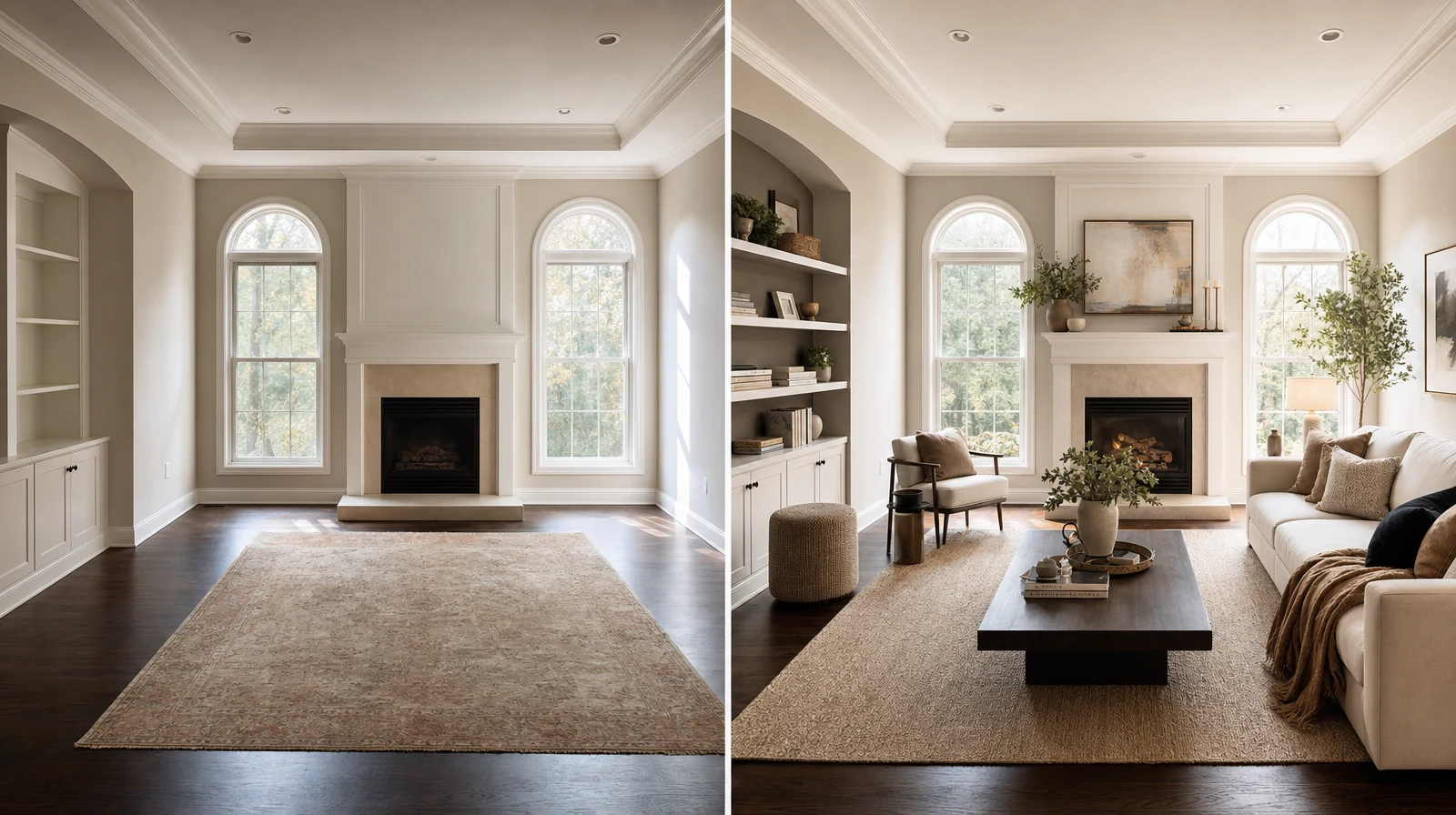
AI furniture placement helps you show a real product inside a real room before the buyer commits. That matters because shoppers often hesitate on scale, color, and layout, not only price. We use Room AI Studio to turn that hesitation into a clearer visual decision.
If you sell sofas, tables, storage, rugs, or room bundles, the goal is simple: help the buyer say, "I can see this working here."
Table of Contents
- Why product placement visuals matter
- What a strong room preview must show
- A repeatable AI furniture placement workflow
- Evidence and numbers
- Common mistakes to avoid
- FAQ
Why product placement visuals matter
Furniture is a high-consideration purchase. A buyer must imagine size, walkway space, lighting, color, and style fit. A plain product photo rarely answers all of that.
We see the same pattern with furniture sellers and interior consultants. The buyer likes the item, then pauses because the room context is missing.
- Will the sofa overpower the room?
- Will the dining table leave enough walking space?
- Will the finish clash with the floor?
- Will the bundle look curated or random?
AI placement does not replace measurements. It gives the buyer a fast visual checkpoint before your team spends time on a deeper consultation.
What a strong room preview must show
A useful preview keeps the original room believable. Walls, floor lines, windows, and lighting should still feel like the same space.
Room AI Studio works best when you ask one decision question per visual. We avoid broad prompts like "make it nicer" and focus on fit, placement, or finish.
A repeatable AI furniture placement workflow
- Ask for one clear room photo with the target wall or floor area visible.
- Choose the product or bundle that needs proof.
- Generate two or three placement options, not ten.
- Compare scale, clearance, light, and finish before judging style.
- Send the best visual with one short recommendation.
This workflow keeps the conversation tight. We want the buyer to choose the next action, not get lost in endless variations.
- Use one product category per scene.
- Keep the camera angle close to the buyer photo.
- Avoid adding too many decorative objects.
- Label the practical reason behind the chosen option.
Evidence and Numbers
- Baymard found that 42% of test users tried to understand product size from product images, but struggled without an in-scale image: https://baymard.com/blog/in-scale-product-images. That is exactly the gap room previews fill.
- Baymard also reports that 56% of users first explore product images after landing on a product page: https://baymard.com/blog/ensure-sufficient-image-resolution-and-zoom. Your visual proof often gets attention before your copy.
- NRF projected $890 billion in retail returns for 2024: https://nrf.com/media-center/press-releases/nrf-and-happy-returns-report-2024-retail-returns-total-890-billion. Better pre-purchase context can reduce avoidable mismatch decisions.
- Wyzowl reports that 87% of people have been convinced to buy after watching a product or service video: https://wyzowl.com/video-marketing-statistics/. A short room preview video can support the same confidence loop.
Common mistakes to avoid
- Showing a fantasy room that no longer matches the buyer photo
- Changing the product shape while trying to make the scene look polished
- Sending too many options without a recommendation
- Ignoring measurement checks for final approval
The best AI furniture placement visual feels practical. It should make the next decision easier, not create a new debate.
For a stronger sales flow, pair {swap} with {layout}. Ecommerce teams can use the {ecommerce}, sales teams can use the {sellers}, and anyone can start from the {app}.
Want to preview furniture inside a real customer room? Open Room AI Studio.